August 16th, 2025
New Feature
New 🔒 Security Features in Campaign Settings
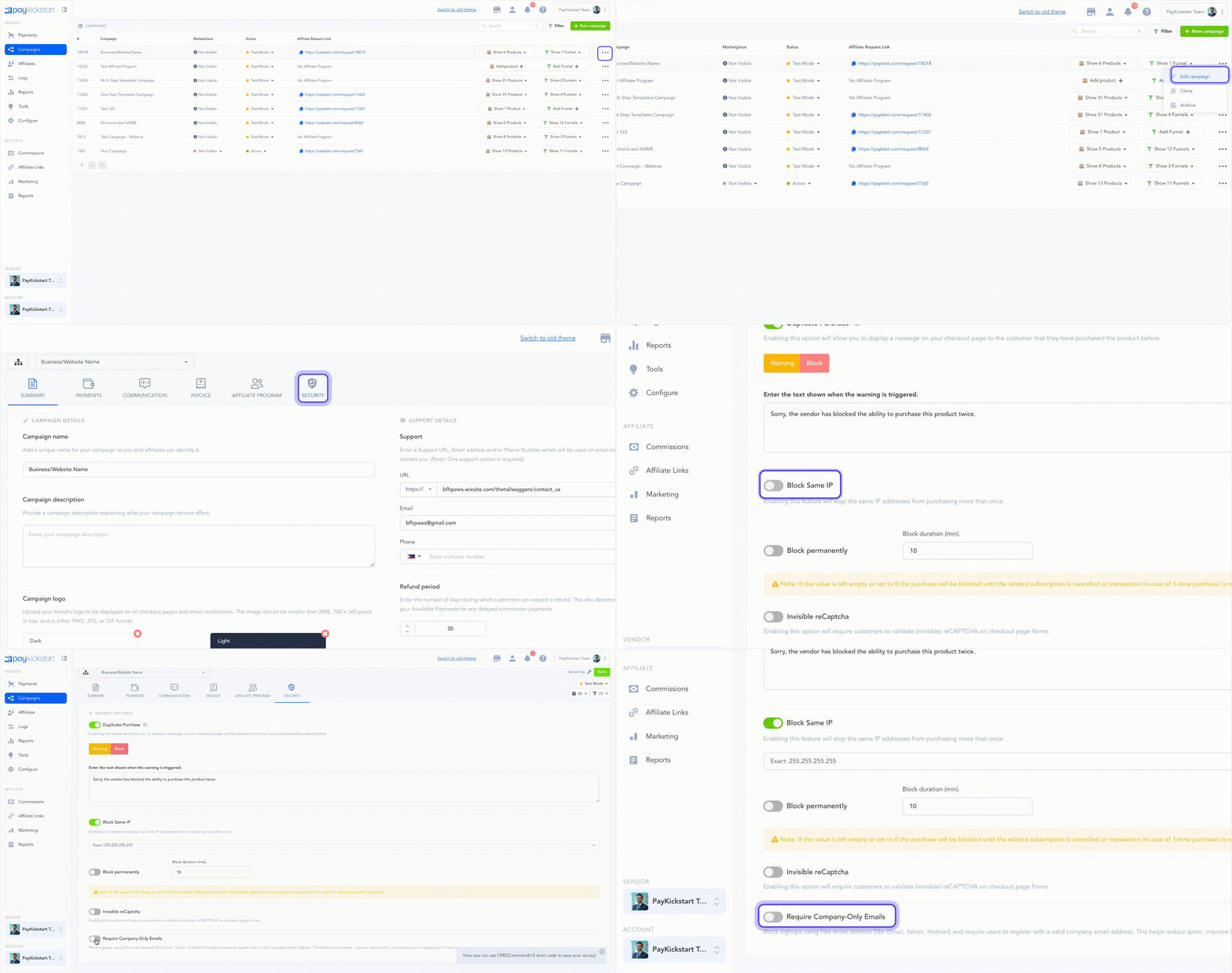
Block Same IP
You can now prevent multiple purchases of your main product from the same IP address or range. This feature is perfect for protecting against a single user making repeated purchases, whether for fraud or to circumvent your terms of service. You have full control to define both the scope and duration of the block.
Define the Scope: Choose to block the exact IP address, or cast a wider net by blocking the entire Class C, Class B, or Class A subnet.
Define the Duration: Set the block to be permanent or temporary. For temporary blocks, you can specify a duration in minutes. The block will last until the original purchase is reversed if you leave the duration empty.
Require Company-Only Emails
For B2B vendors, this is a game-changer. You can now enable a powerful lead-filtering tool that blocks signups from free email services (like Gmail or Yahoo) and requires a valid company email address. This feature helps you:
Reduce Spam: Eliminate unqualified leads and fraudulent signups.
Improve Lead Quality: Ensure you're engaging with representatives from real businesses.
Boost Engagement: Focus your marketing efforts on high-quality B2B prospects.
You'll find these new settings under the Campaigns tab in your PayKickstart account. We're committed to giving you the tools to secure your business and maximize your success!
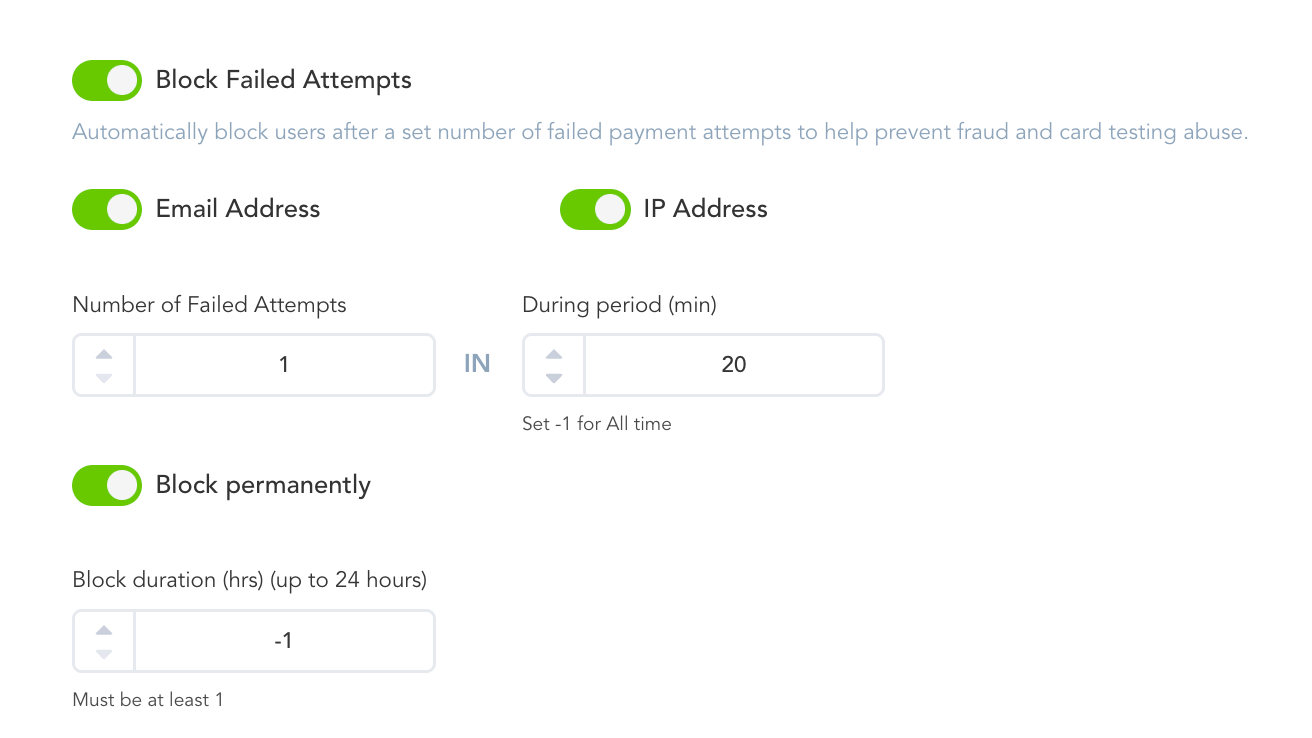
Block Failed Attempts
Protect your business from costly card testing abuse and fraudulent activities. You can now automatically block users after a set number of failed payment attempts, stopping bad actors before they can cause harm.
Block by Email or IP: Choose to block suspicious users by their email address or IP address to prevent further attempts.
Set Custom Thresholds: You have full control to define the number of failed attempts (e.g., 3 failures) and the time period (e.g., within 15 minutes) that will trigger a block.
Flexible Block Duration: Configure the block to be permanent or set a temporary duration for up to 24 hours.